Skip to content

Device Metal

  • Home
  • Speaker
  • About

Category: Powershell

  • Home
  • Powershell
Deploy Windows 11 with PXE
IntunePowershellWindows

Deploy Windows 11 with PXE

by Mr Green15 December 202522 December 2025

You’ve got a stack of new machines that need Windows 11 — and they need it yesterday. But setting up SCCM, MDT, or WDS feels like launching a spaceship just to light a candle. You…

Windows 11 and the SSO popup. DMA to blame.
IntunePowershellWindows

Windows 11 and the SSO popup. DMA to blame.

by Mr Green4 February 202520 December 2025

Deploying a brand new installation with autopilot can be really automated. User login and they can start work but, they need to comply to use SSO for apps. It's annoying when we have set the…

Microsoft Edge enterprise sync fails mysteriously
IntunePowershellWindows

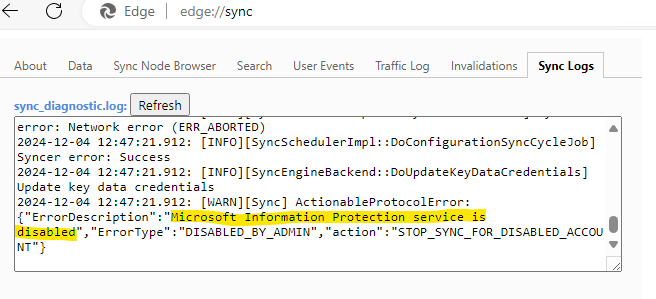
Microsoft Edge enterprise sync fails mysteriously

by Mr Green2 December 202424 January 2025

This was a new experience. One customer had more or less nothing in the Microsoft Cloud but has started their journey. Since they apply under Swedish Government laws there are some restrictions on what they…

Allow users to install printer drivers
IntunePowershellWindows

Allow users to install printer drivers

by Mr Green25 April 20245 September 2024

By default, regular non-admin users cannot install printer drivers in Windows due to insufficient privileges. By default Windows security settings require a user to have local admin permissions to install a driver. However, there are…

Change computer name on Windows devices
IntunePowershellWindows

Change computer name on Windows devices

by Mr Green7 March 20244 September 2024

In this blog post, we’ll walk through the steps of changing a computer name using remediation scripts on Windows devices. But why? There are many reasons for wanting to rename devices across your organization, including:…

Get the hash
GraphIntunePowershellWindows

Get the hash

by Mr Green12 January 202412 January 2024

Sometimes when I am migrating from one tenant to another we need to prepare the new Intune tenant with the autopilot registrations before we start to wipe and reinstall the windows machines. This is of…

Setup an application for automation and scripts
GraphIntunePowershell

Setup an application for automation and scripts

by Mr Green19 December 202312 January 2024

When building automations and scripts and it needs authentication to our tenant the easiest and ugliest way is to elevate to global Admin and just grant to whatever consent that popups up. Of course that's…

IntunePowershellWindows

Teams and firewall popup

by Mr Green29 March 20239 November 2023

You may have users complaining about receiving a Windows Defender Firewall prompt when they initiate or receive a call with Microsoft Teams application on their managed Windows 10 devices. This is really annoying to the…

IntunePowershell

Remove built in Teams in Windows 11

by Mr Green29 March 202316 October 2023

When starting to role out Windows 11 in an enterprise environment you may have noticed that the Teams chat app that comes baked-in with Windows 11 is not the same as the Microsoft Team,s for…

Setting Up Microsoft Teams Rooms and Desk Phones with Intune: A Comprehensive Guide
IntuneMTRPowershellSecurity

Setting Up Microsoft Teams Rooms and Desk Phones with Intune: A Comprehensive Guide

by Mr Green1 February 202316 October 2023

In today's remote and hybrid work environments, Microsoft Teams Rooms (MTR) and Desk Phones play a pivotal role in enabling seamless and productive meetings. These dedicated meeting room devices and desk phones, all managed through…

Posts pagination

1 2 Next
Copyright © 2026 Device Metal Theme: Blog Room By Artify Themes.