Skip to content

Device Metal

  • Home
  • Speaker
  • About

Category: Intune

  • Home
  • Intune
  • Page 5
IntuneWindows

Manage lock screen and background on Windows

by Mr Green26 June 20238 November 2023

Desktop and Lock screen Wallpaper can be easily managed using Microsoft Intune. I have worked with many organisations where the desktop and lock screen wallpaper on Windows 10/ 11 devices is centrally managed and updated…

IntuneWindows 365

Watermarking in Windows 365

by Mr Green26 June 202310 October 2023

I recently came across an exciting thing in Windows 365: the watermarking, which has now become generally available. I believe this feature has the potential to significantly enhance data security. We should also enable the…

IntuneWindows 365

Intune and device filters

by Mr Green15 May 20239 November 2023

Intune Filters is an innovative feature that allow you to do advanced targeting options for tasks such as compliance policies, configuration profiles, and app assignments, all through the use of filters. It has been around…

Intune

Set registry keys with Intune

by Mr Green9 May 20239 November 2023

When it comes to domain-joined clients, making registry setting changes was a breeze with tools like Group Policy Preferences. However, the landscape is different within Microsoft Intune. While Intune offers a Settings Catalog, Templates in…

IntunePowershellWindows

Teams and firewall popup

by Mr Green29 March 20239 November 2023

You may have users complaining about receiving a Windows Defender Firewall prompt when they initiate or receive a call with Microsoft Teams application on their managed Windows 10 devices. This is really annoying to the…

IntunePowershell

Remove built in Teams in Windows 11

by Mr Green29 March 202316 October 2023

When starting to role out Windows 11 in an enterprise environment you may have noticed that the Teams chat app that comes baked-in with Windows 11 is not the same as the Microsoft Team,s for…

Intune

Simplifying Device Configuration with Microsoft Intune LAPS Policy

by Mr Green20 February 20238 November 2023

Setting up Local Administrator Password Solution (LAPS) in Microsoft Intune is a crucial step in enhancing the security and manageability of your devices. LAPS ensures that local administrator accounts on your devices are well-protected and…

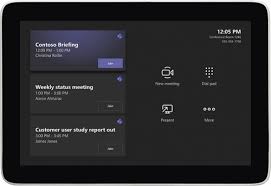
Setting Up Microsoft Teams Rooms and Desk Phones with Intune: A Comprehensive Guide
IntuneMTRPowershellSecurity

Setting Up Microsoft Teams Rooms and Desk Phones with Intune: A Comprehensive Guide

by Mr Green1 February 202316 October 2023

In today's remote and hybrid work environments, Microsoft Teams Rooms (MTR) and Desk Phones play a pivotal role in enabling seamless and productive meetings. These dedicated meeting room devices and desk phones, all managed through…

Prevent Edge shortcut during Autopilot
IntuneWindows

Prevent Edge shortcut during Autopilot

by Mr Green26 January 202316 October 2023

It is possible to set a policy to prevent a Edge desktop shortcut as part of the deployment of devices. When provisioning devices with Autopilot a policy can be set to prevent the shortcut. Go…

Intune

Deploy Zscaler with Autopilot delay

by Mr Green5 January 202316 October 2023

I was deploying ZScaler for a customer and we where enroling devices with Azure AD Join. The deployment of the app was fairly easy and it worked well on my test machine but not on…

Posts pagination

Previous 1 … 4 5 6 Next
Copyright © 2026 Device Metal Theme: Blog Room By Artify Themes.